Managed build · Cash · Billing and collections
Find the money in finished work every Monday, not at month end.
Every week, the work that is done but not invoiced, the clients who are slowing down on paying, and the deposits still open, flagged while there is still time to act.
Founder pricing for our first 3 clients: a lower rate locked for 12 months, in exchange for a monthly feedback call for the first three months and an anonymized write-up of the results. 3 of 3 seats left.
See what it looks like
A one-minute walk-through, then the report as it arrives and the same week as it reads on a phone. Yours carries your logo and your own numbers.
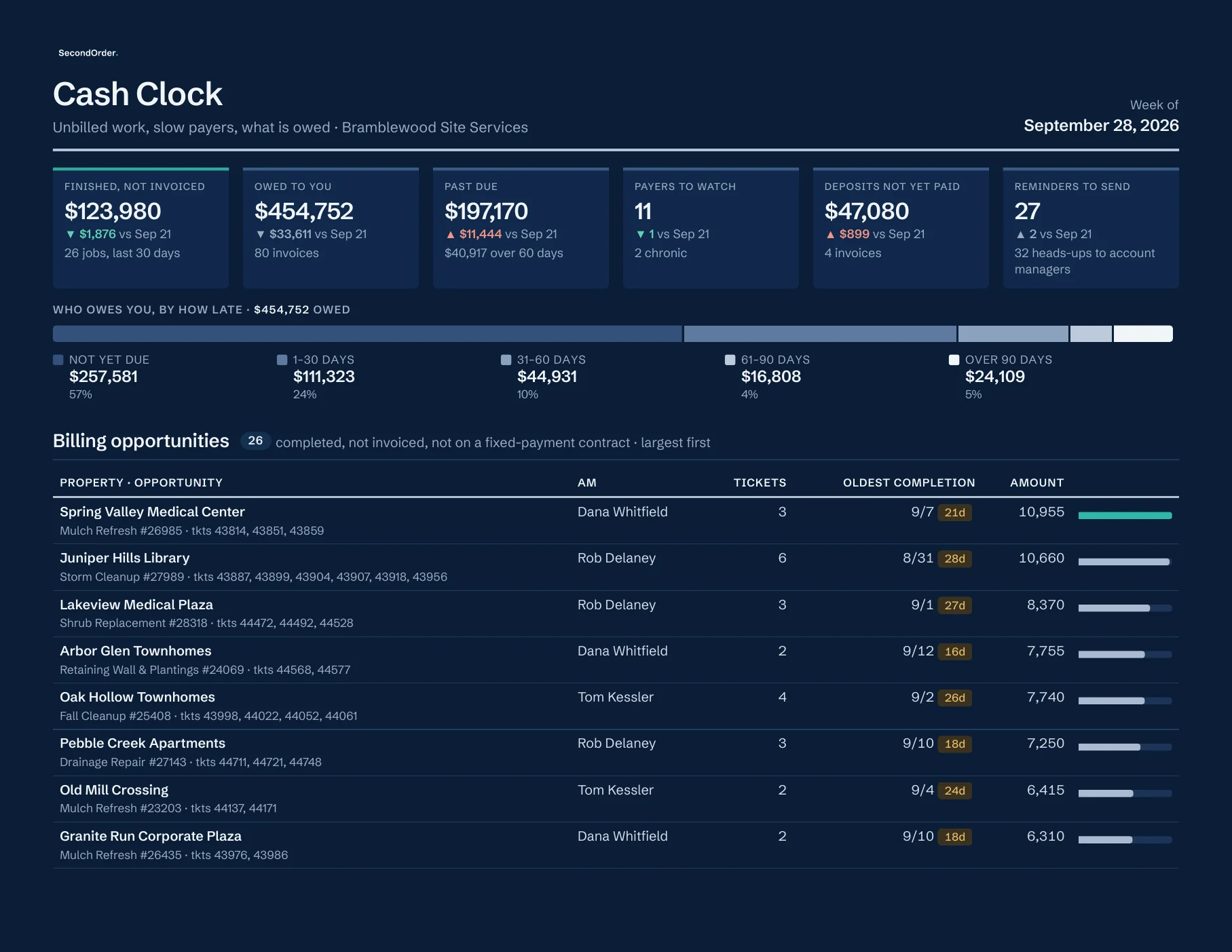
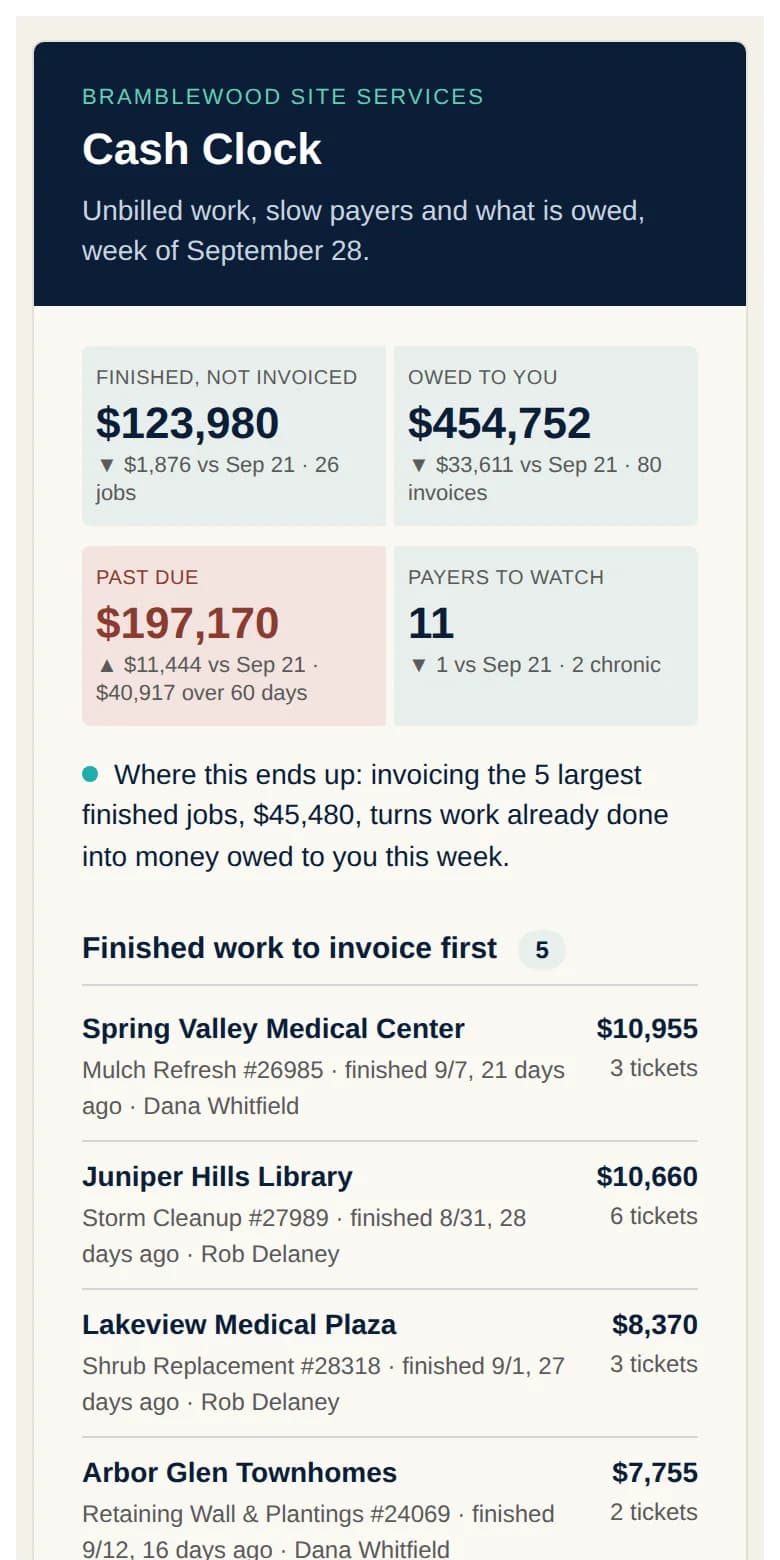
Sample. Invented company, people and numbers.
What lands in your inbox
Built from your own system, on a server in your own account that we run for you. Reports are emailed on a schedule; nothing here depends on anyone opening a dashboard.
1
Billing opportunities
Work that is complete in the field but not yet invoiced, listed every week by job and account manager, so nothing finished waits a month for its invoice.
2
Payer watch
Every account's days-to-pay and its trend, tiered into good, soft warning, watch and chronic, with the ones that should not start work without a deposit named.
3
Receivable aging, weekly
Who owes what, for how long, sorted the way a collections call list should be. Deposits outstanding on the same page.
4
Due-date reminders
A suggested reminder, ready for your bookkeeper to send ahead of a due date, and a heads-up to the account manager when scheduled work is about to start for an account with an open balance.
5
Month-end pre-close check
Every week, most prominent in the final week of the month: unbilled completed work, open tickets that should be closed, and anything that will distort the month if left.
Try it on your own export
Payer Risk Check is a free version of the payer watch above: drop in an invoice export with paid dates and see your payer tiers, in your browser, no login.
Open Payer Risk CheckHow it is built
Cash Clock is built new by SecondOrder: deposit aging, a weekly A/R risk snapshot and a month-end pre-close check.
During the trial, every report is checked against the numbers you already trust, before you rely on it.
You configure, we run
One short setup sheet:
- · Who receives the aging and the payer watch
- · Deposit rule and payer-tier thresholds
- · Reminder timing, and wording reviewed with you at setup
- · Your logo on the weekly PDF
Who it fits
Companies where the owner or one office person is chasing money by memory, and a bookkeeper or CPA who would rather receive a schedule than build one.
How it is priced
Trial
Thirty days on your own data, free. It starts with an account signup, which includes your billing details; nothing is charged during the 30 days, and nothing at all if you cancel before they end. On one setup call you open a small cloud account in your company's name and give us view-only access to your system; within three days the first versions of your own reports and your baseline arrive by email.
Monthly
One flat monthly fee, month to month, no setup fee. It pays for the running, the checks and the updates, never for access to your platform or its data. The server sits in a cloud account in your name, billed to you directly, about the price of a lunch a month: you own it, we manage it, and your credentials stay yours to revoke.
Every month, for Cash Clock
- Aging runs on schedule and the reminder list is refreshed every run; we check every run.
- Tier thresholds tuned as your controller weighs in; reminder wording set with you at setup.
- Updates when your platform or your billing setup changes.
If you leave
Month to month after the trial: cancel with 30 days' notice and no cancellation fee; service runs to the end of your last paid month. The server and your data stay yours, and we remove our access. If you would rather keep the reports running yourselves, you can buy a permanent license to the code and its documentation.
Paying three, six or twelve months up front adds extras, up to two months free. See the pay-ahead options
Which Audit statements this moves
- 9. We see who owes us what, and for how long, every week, from the system, not from a call to the bookkeeper.
- 10. No install starts without the deposit in the bank, and the slow payers are on a list everyone in sales can see.
- 11. Completed work is invoiced the week it finishes, not whenever the ticket happens to get closed.
Start a trial of Cash Clock
Tell us where the friction is. We reply in writing within two business days with whether Cash Clock fits, what to have ready for the setup call, and how the 30 days would run.